
AI data centers · High-voltage construction
Every critical step across construction, energization and operations in AI data centers, completed on mobile devices, date time stamped and provable.
Digital procedures for energization, switching and lockout/tagout. Author, assign and audit from HQ; crews execute step by step in the field, with time stamps, photo proof and QA sign-off.
Built on the electronic checklist discipline of commercial aviation.
Proven in the field
- 12 yrsin data center operations
- 8 yrsin data center construction
- 65%faster procedure creation
- 55%faster procedure execution
Trusted by operators in data centers, energy and transportation







Author at HQ, execute in the field
Write it once at HQ. Run it right in the field, even with no signal.
At the start of each shift, the crew syncs to get the day’s assignments, assigned per site, person or department. Emergency procedures stay on the device permanently. In basements and steel enclosures there is no signal, and procedures keep running in the Android or iOS app: every step records who completed it and when, with photo or short video at critical steps, QA sign-off, and steps that stay in order. At the end of the shift, the crew syncs again to complete the audit trail.
The problem
Potential customers’ current pain points, and what we help mitigate
AI data center projects, and the legacy and enterprise builds alongside them, are adding more switchgear, more UPS systems and more energization events, on tighter schedules. Procedures are long. Crews are under time pressure. Paper and PDF checklists cannot show you if a step was skipped, done out of order, or signed without being done. You find out after an incident.
Arc flash and shock risk
during energization, switching and lockout/tagout.
Schedule risk
when a mistake causes rework, a failed test or an outage.
No proof
that the work in the field matched the procedure from HQ.
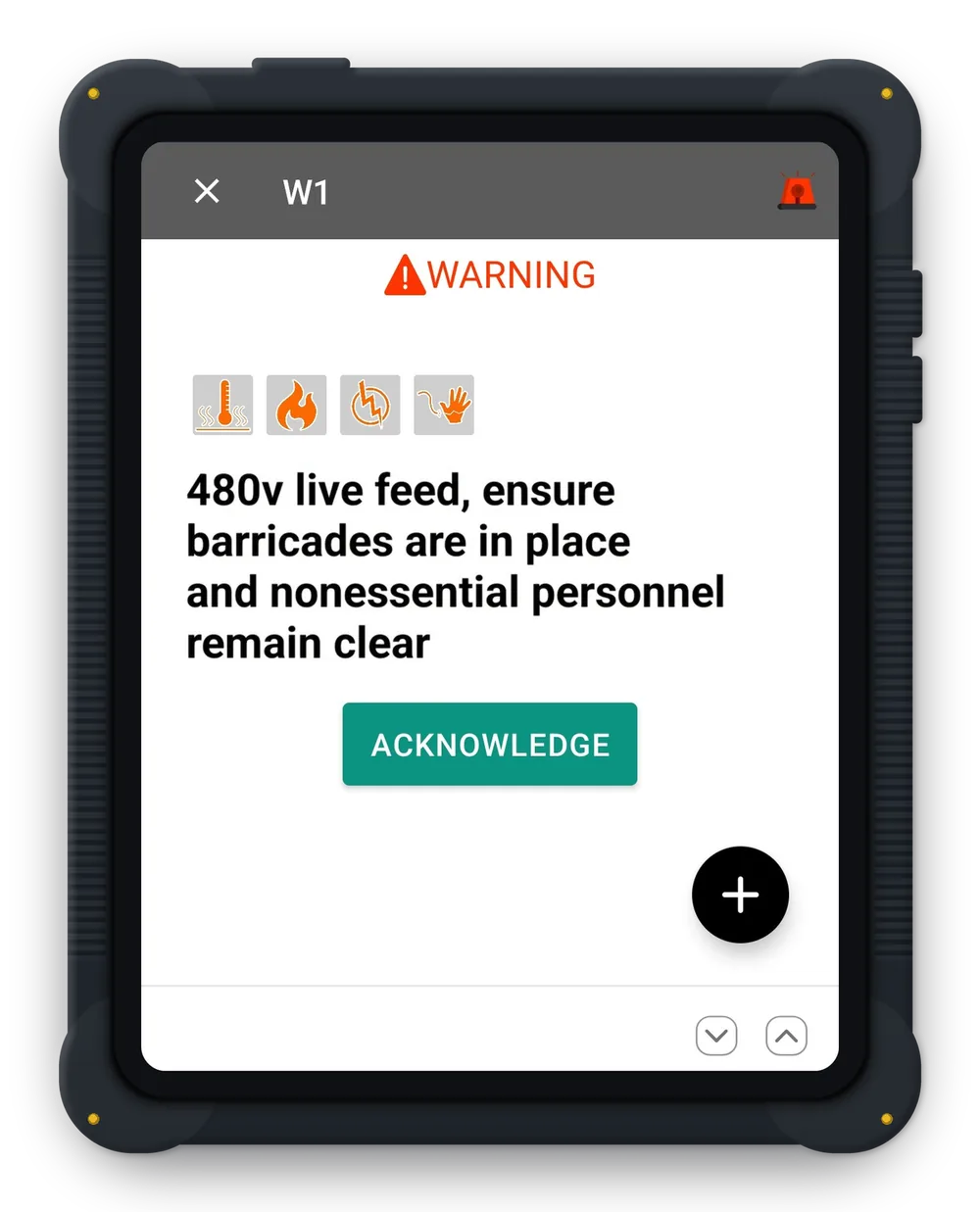
One skipped step can cost a life, or a schedule. Warnings surface at the exact point where they matter and must be acknowledged before work can continue.
Proof built into every step
Digital lockout tagout procedures, designed by our customers’ master electricians.
Crews isolate step by step, apply the lock, capture photo proof of it, verify the energy is gone before work starts, and every step lands in a full audit trail.
Built with input from high voltage energization customers. EES supports your OSHA 1910.147, 29 CFR 1926.417 and NFPA 70E energy control program.

Prove it
A record that stands up to audit.
Every step recorded
Every step records who completed it and when.
More
Critical steps can require a photo or short video.
Critical gates
The right level of proof at every critical gate: QA sign-off, a photo of the lockout tagout box, or a short video, whatever the step demands.
Photo and video with annotation
Attach photos or short video, then mark them up with arrows, circles and notes so reviewers see exactly what was checked.
Prevent it
Steps that can’t be skipped or scrambled.
Card-by-card procedures
Opens in an overview so you can see the entire procedure, and then during execution switches to a sequential card-by-card view.
More
Steps can’t be reordered or skipped. Each is date timestamped for verifiable compliance.
Slide to complete
No accidental check-offs.
More
Every step takes a deliberate slide to complete.
Skip and defer, where allowed
Skip steps that don’t apply.
More
Defer a temporarily blocked step: it moves to the end of the checklist and requires a reason. Both are toggled per procedure and locked off for high-consequence steps.
Catch it
Problems flagged the moment they happen.
Data ranging
Set acceptable ranges for each entry.
More
A pop-up warns when an entry is out of range, incorrect data gets flagged, and typos are caught before they enter EES. For example, 48 V entered where 480 V is expected. The field user can correct the entry or open a work order on the spot, catching slow drift, like a 24 V generator battery, that a BMS never sees.
Performance curves captured
Date-time curves show how long each step and round took, and anomalies get flagged: a 5-minute inspection done in 30 seconds is flagged just as readily as a 2-hour job that takes 6.
In the field
What crews see on the device
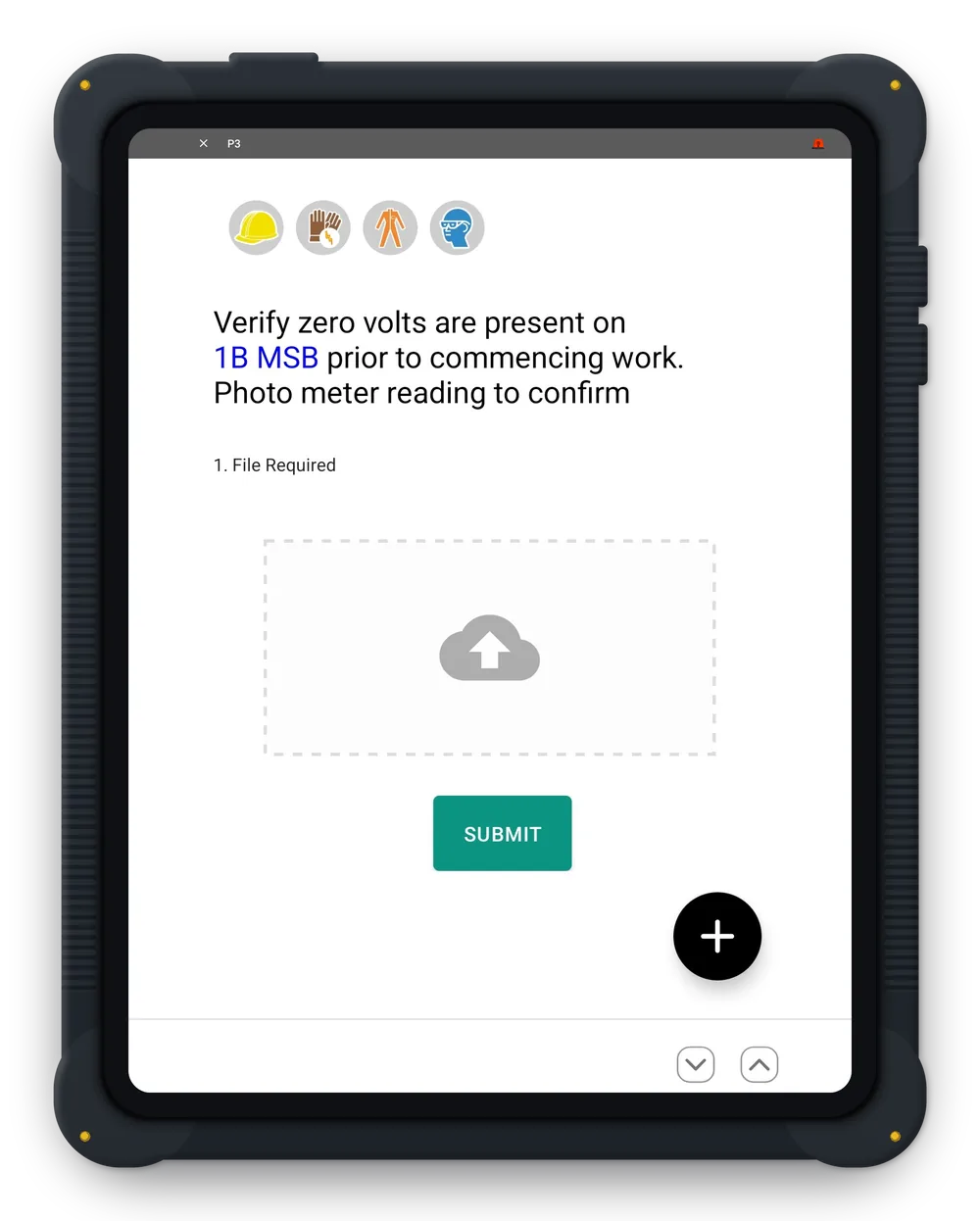
PPE, called out step by step.
Attach PPE to any step. When a checklist starts, every requirement is pulled to the front, then shown again on the step where it’s needed.
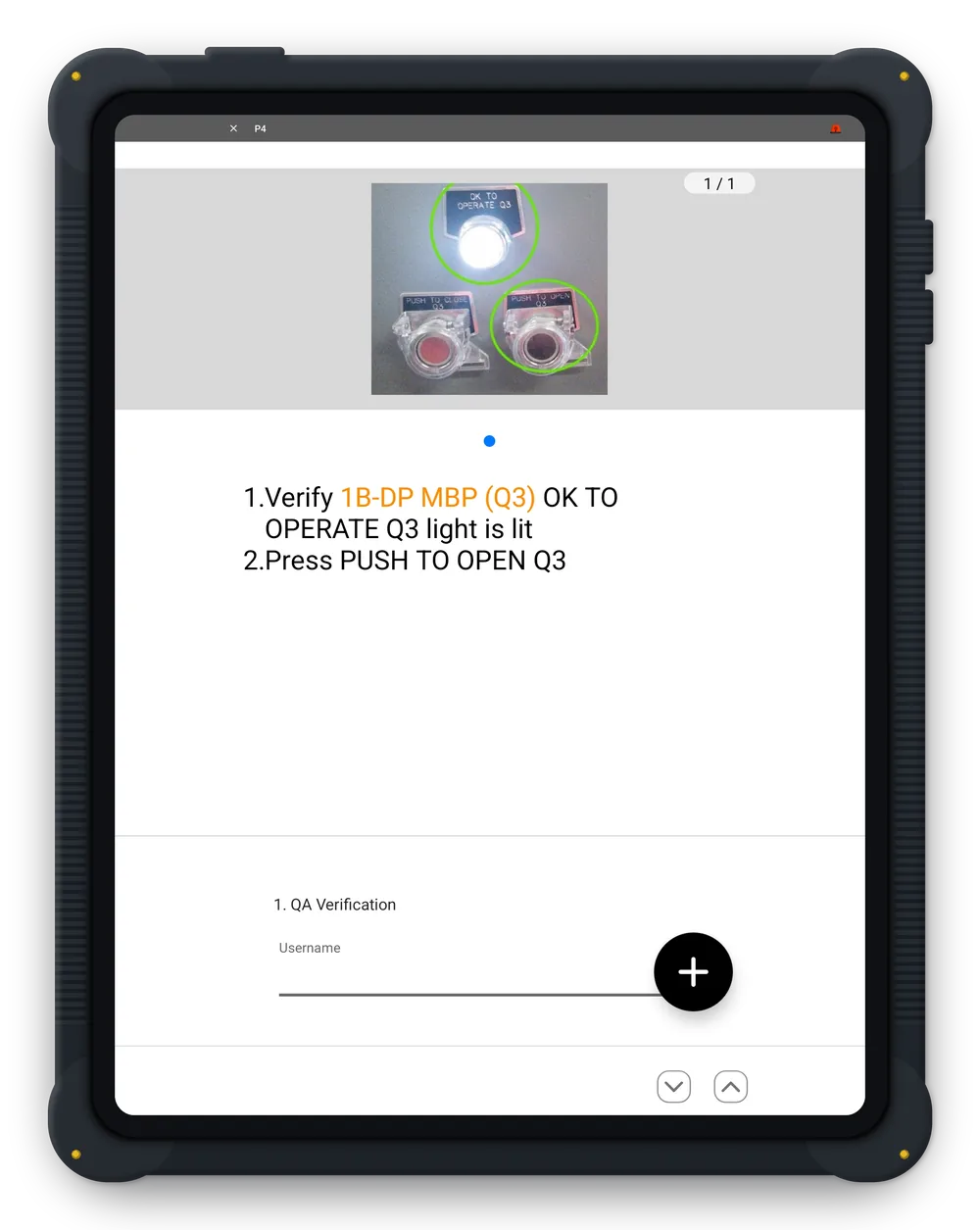
Photo-guided steps.
Photos show exactly which control to operate.

List view, then guided execution.
Every procedure opens as a list for the pre-job brief. Once work starts, it switches to one card at a time, so out-of-order execution is blocked.
Pause and resume.
Pausing stops the clock mid-step, so breaks don’t skew performance curves. Resuming returns the operator to the exact step and reminds them of the PPE it requires.
Continuous improvement, field-driven.
Type what’s confusing, add a marked-up photo taken right there, and it routes to HQ.
Field data, surfaced for leadership.
Procedures capture battery temperatures, voltages, fluid levels, UPS loads and more. Out-of-range readings flag the moment they’re entered, and incomplete procedures show up on the leadership dashboard.
Where AI currently belongs
A gate, not a net. AI supports it; it doesn’t decide.
EES won’t let an incomplete checklist through, and it won’t let anyone work out of sequence, so those errors never get the chance. For procedures this high-consequence, we keep AI in a supporting role, studying and suggesting, never deciding, until it earns more. We evaluate its capabilities daily.
Emergency checklists
Ready for the unplanned.
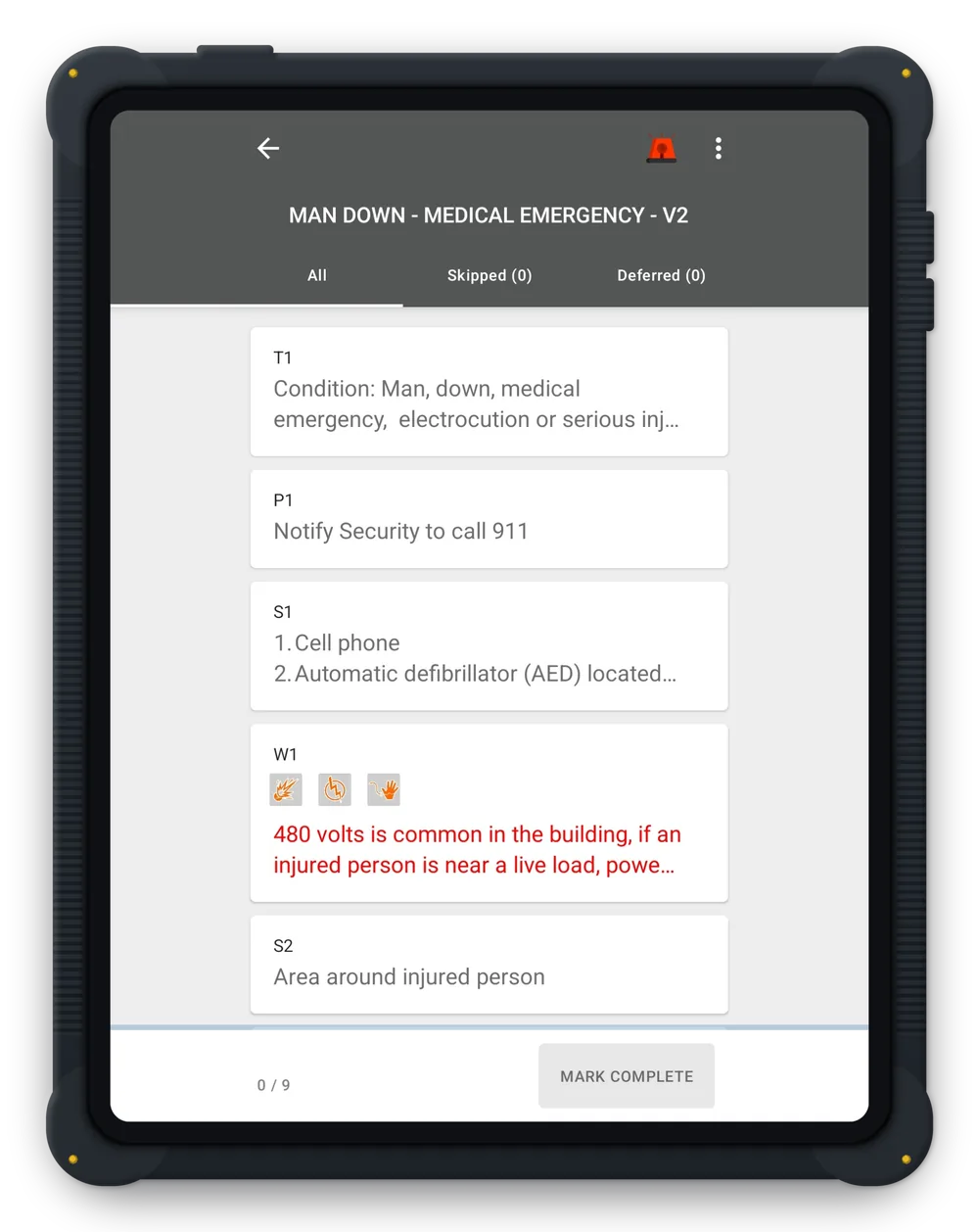
In a cockpit, emergency procedures are the first thing a checklist system must get right. Our pilots are former military and airline pilots, so we built emergency checklists in from the start. Customer’s emergency procedures, for example medical emergency, fire or approaching storm, are stored right on the device. They open with one tap from any screen and work with no signal, even in the middle of another procedure.
Emergency checklists support, and do not replace, your site emergency action plan and calling 911.
More than 10 years of proven field experience
Built for AI data centers and every critical facility build
Energization and first power
Step-by-step energization with hold points and QA gates.
Switching
Switching procedures in a locked sequence, with QR or barcode asset verification where required, to prevent right procedure, wrong asset.
UPS and battery isolation
Card-by-card isolation that cannot be skipped.
Commissioning (L1–L5)
Run commissioning scripts in the field on EES: verifiable results instead of a spreadsheet printout.
Daily and weekly rounds
Rounds and generator runs, with time stamps and performance curves.
Turnover to the owner
Operations procedures can be written and tested during commissioning and left for the ops team, mitigating risk for the lifecycle of the building.
Still running energization on paper or PDF? See how crews run it step by step, with proof of every step.
Request a demo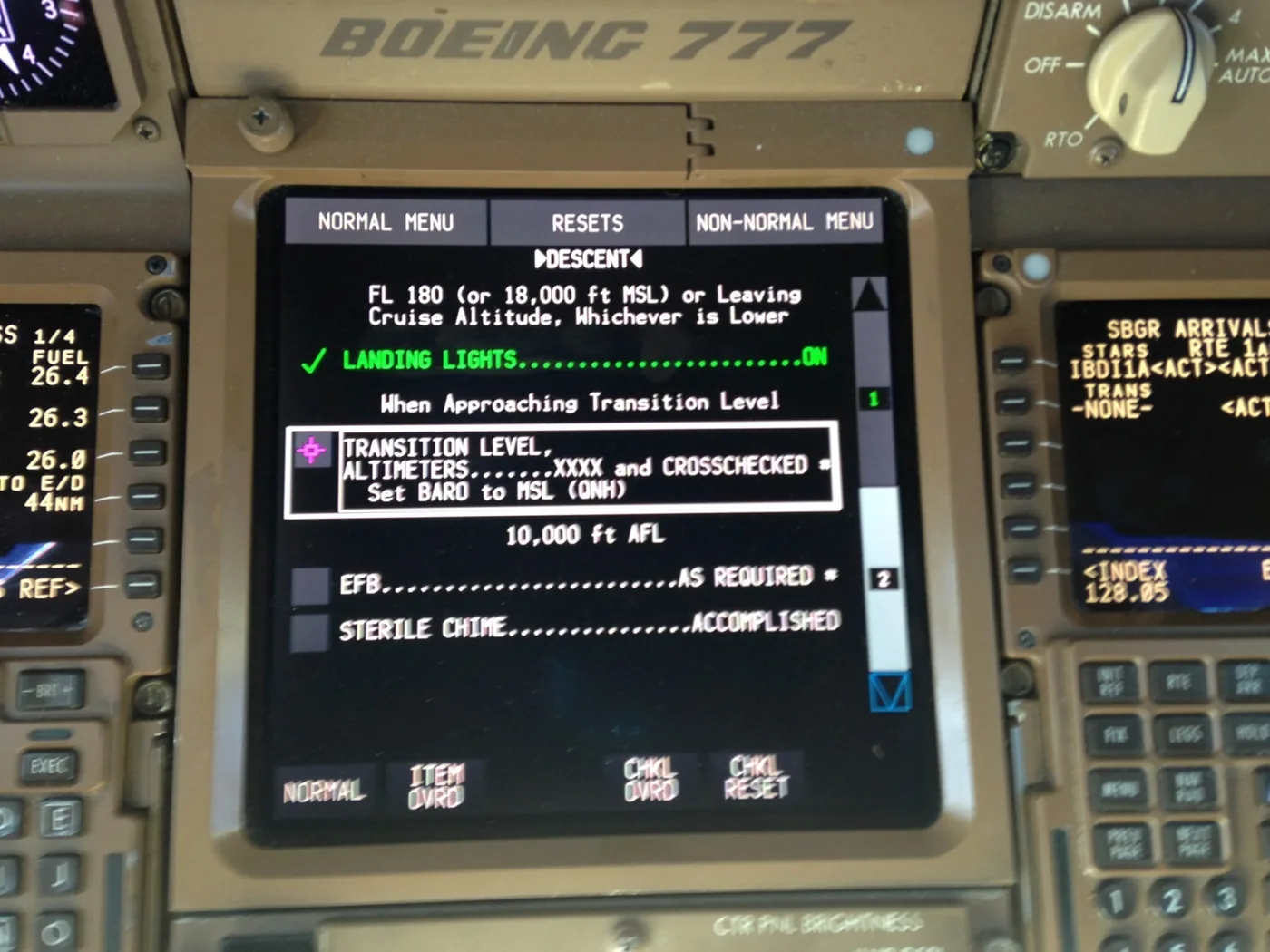
Inspired by the 777 electronic checklist, the one that started it all.
Minimize costly errors
A method hatched in the cockpit and now transferred to data center construction and operations
End-to-end electronic execution system with clear steps, the right order, confirmation at critical points, and a record of every action. Built by Naval Aviators and airline pilots: error-free electronic procedures since 2014.
ICARUS Ops is not affiliated with, endorsed by, or sponsored by The Boeing Company.
“We have seen an increase in efficiency with both the developing and execution of our procedures. Along with the gains in efficiency, we recognize a reduction of errors in the creation, execution, and final data capture of our scripted procedures.”
Phil CullumRegional QA/QC & Commissioning Program Manager, Southwest, Rosendin
Industries
Also used in other high-risk operations
FAQ
Most frequently asked questions
Can ICARUS Ops work with my existing PDF and Word procedures?
Yes. ICARUS Ops can incorporate your existing PDF and Word procedures.
What devices does ICARUS Ops run on?
Android: modern Android devices, for example the Samsung Galaxy Tab S12 Ultra with 16 GB memory, or newer, or the Lenovo Legion Tab 8.8-inch with 12 GB memory, or newer.
Apple: iPad Air with M3 or iPad Pro with M5, or newer.
Photos: regular photos from any device with a camera. Infrared (IR) photos from IR-capable devices such as the Sonim XP Pro Thermal or the Ulefone Armor 27T Pro+.
Intrinsically safe areas: the i.safe MOBILE IS940.1 or newer.
Can crews use ICARUS Ops offline?
Yes. Crews typically download their daily tasking in a Wi-Fi or cell area, then execute procedures with or without access, and re-sync their completion data when they return to an access area. The companies’ defined emergency procedures remain available offline at all times.
Can I export completion records?
Completion records export as PDFs including all captured data and photographs in the order they were collected. Reports can also be generated for all collected data. For example, a voltage recorded every day can be exported to a spreadsheet for trending. All data collected can be compiled and built into customizable reports by the ICARUS Ops team.
What does onboarding include?
The ICARUS Ops team builds the customer portal, uploads user data, sets up single sign-on if required, imports and loads all current locations, sets up departments, locations and users, can upload existing procedures, and can import an asset list to each location. Imported procedures provide a strong starting point, but they don’t yet include ICARUS Ops capabilities like warnings and photo data capture, so our technicians review them from experience on a first pass-through, adding range checks for data capture fields, warnings before dangerous steps, and other maturity improvements.
Onboarding also includes hands-on training, delivered through online sessions, from running procedures in the field to managing users and reviewing completion records. We then help get your first procedures authored and loaded.
How does licensing work?
Licensing is provided as per customer request, either seat count blocks or by location, monthly or annual as desired.
More questions
How do you prevent human error in high-risk field work?
Human error can’t be removed entirely, but it can be made less likely and caught earlier. Standard practice in aviation and nuclear power uses approved procedures, steps in a fixed order, confirmation at critical points, timely warnings before hazardous steps, and records of every action. EES is designed to build those controls into field procedures.
What should an energization checklist include?
Typically: current drawings and one-lines; acceptance testing complete and documented; an approved energization plan; named roles; a communication plan; arc flash labels and PPE requirements reviewed; barricades and access control; hold points with the readings to record; and a stop-work rule. Follow your project’s approved procedure and the standards adopted for your site.
What are the steps of a lockout/tagout procedure for electrical work?
In plain terms: identify every energy source; notify affected workers; shut down and open the disconnecting devices; apply locks and tags under your written program; release or block stored energy; test for absence of voltage with a meter verified on a known source before and after; ground where required; then start work. Follow your site program and the current NFPA 70E edition.
Why is energization a high-risk point on AI data center projects?
AI data centers bring a large volume of switchgear, transformers, UPS systems and generators that must be energized in sequence on compressed schedules. Each energization is a point where a skipped step, wrong order or wrong device can create arc flash risk, damage equipment or delay the project. Approved procedures with hold points and records help manage that risk.
See an example EES
We will walk through an energization or UPS isolation procedure with you, from authoring at HQ to sign-off in the field.
ICARUS Ops™ is the world’s leading human error prevention software consulting company, founded by high reliability and mission critical experts.